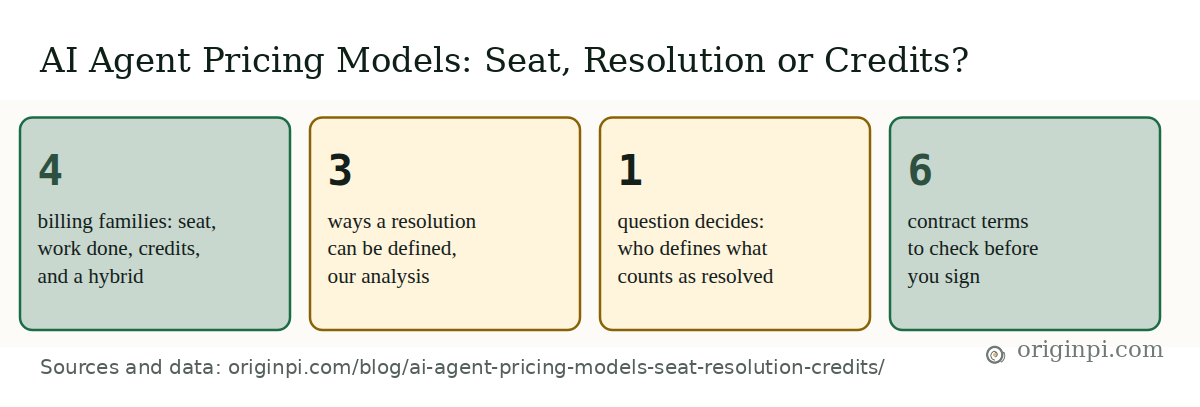
An AI agent is billed in one of 4 ways: per seat, per work done, per credit, or a seat-plus-credits mix, and each puts a different risk on you. A seat plan risks idle seats. A per-resolution plan risks a loose definition of "resolved". Credits risk runaway retries and a pool that runs out. This post is for the CFO or owner who has a quote in hand and must compare plans that do not share a unit. It describes how the models work, with no prices, and gives you a what-if to run on your own volume and a six-term contract check.
At a glance: four ways to bill an AI agent, one question that decides the bill
The counts are ours, from this post's own analysis and checklist.
What are the four ways an AI agent is billed?
AI agents are billed in 4 families, and the second splits in two, giving 5 plans to compare. Think of the bill as a meter plus a rule. The meter counts something. The rule says what is worth counting. Vendors count different things, and that decides who carries the uncertainty.
- Per seat. You pay for each licensed person. Microsoft's licence guide for its Copilot says you buy licences and assign them to users, so the fee follows headcount, not activity. Your bill does not rise when volume rises, which suits a steady, high workload. You carry the idle seat, and you must confirm that the agent is included without a usage limit.
- Per conversation. You pay for each conversation the agent handles. A chat that failed, or was handed to a person, is still a chat, so you carry the failures.
- Per resolution or outcome. You pay only when the vendor's rule says the agent succeeded. You carry the definition. If the rule is generous, the bill is higher than your own view of success would give.
- Credits or consumption. You buy a pool of credits, and each action uses some. Microsoft's Copilot Studio billing page calls credits "the unit that measures agent usage", pooled across the tenant. For agents that use a reasoning model, one message can trigger several model calls, and the page says "Each call counts." You carry the actions per task, retries included, and the run-out: that page says custom agents are disabled once use passes 125% of prepaid capacity, unless pay-as-you-go is switched on. Microsoft's Copilot Studio licensing page says capacity is enforced monthly and unused Copilot Credits do not carry over to the next month.
- Hybrid. A per-user licence plus metered credits. On the same Microsoft page, agent use by an employee who holds a Microsoft 365 Copilot licence is marked "No charge" in credits, within fair-use limits, while other users' agent use consumes credits. You carry a fixed floor and a variable meter, and you must know which users fall on which side.
Vendors often sell several of these side by side. The aim is to see which risk you would rather hold, and whether you can measure it.
| Model | You pay for | You carry | Ask first |
|---|---|---|---|
| Per seat | Each person on the plan | Idle seats, usage limits | Is the agent included, and is its use capped? |
| Per conversation | Each conversation handled | Failed and handed-off chats | Do escalated chats still count? |
| Per resolution | Each win the vendor's rule counts | The definition of "resolved" | What exactly counts, and can I dispute it? |
| Credits | Each action, from a pool | Retries, loops, pool run-out | How many credits does a typical task use? |
| Seat plus credits | A fixed fee plus a meter | Both | What does the seat fee include? |
Where does the cost risk sit?
Every model runs through the same five steps, shown below. A customer or task reaches the agent. The vendor decides whether it is billable. The meter counts it against what your plan includes. Plan rules such as minimums, caps and overage apply. Then the invoice arrives.
Where the cost risk sits, model by model
Every model passes through the same five steps. Step 2 is where the vendor, not you, decides what is billable.
Step 2 is the one buyers rarely see. In a seat plan it barely matters. In every other model it is the vendor's system, not yours, that decides what you are charged for. That is why the audit log matters: you need your own record of billable events to check the meter. Our post on the six questions an agent log must answer and the one on what to log and for how long cover how to keep one.
Who decides what counts as resolved?
The vendor does, and the wording varies. Origin Pi's analysis of how per-resolution and per-outcome plans are written finds three triggers in common use. A conversation counts as an outcome when any one of three things happens: the customer confirms the issue is resolved, or the customer does not ask for more help after the agent responds, or the agent completes a workflow, handoffs included. A related rule is to charge once per conversation, even if several questions are answered. These are generic descriptions from our own analysis, not any vendor's published terms.
Read the three triggers as a buyer. The first is a clear win. The second is silence: a customer who gave up, or went to your phone line instead, looks the same as a customer who was helped. The third counts a workflow that ends in a handoff. A written rule beats a hidden one, but it is a definition you are agreeing to, so test it against a sample of your own conversations before you rely on it.
A plan can also pair an agent with seats, and a minimum monthly commitment can apply whether or not volume arrives. Some plans include a set number of resolutions, then charge committed or pay-as-you-go rates beyond it, and may be silent on rollover. Microsoft's own documentation shows the other end of the spectrum, with Copilot Credits pooled across a tenant and metered per feature. Contracts change, so what you sign matters more than what you read.
Which model is cheapest at your volume?
The cheapest of the 5 plans changes with volume, from 150 to 3,000 items a month. The chart uses the same illustrative terms as the what-if below: 6 seats on the seat plan, a rate per conversation, a rate per resolution with a monthly minimum, and credits with a rate per action. They are invented and not any vendor's terms.
Interactive chart
The cheapest model changes with volume
Monthly bill in units for five models at three volumes, using the what-if's default terms. A seat plan is flat; the others climb with volume.
At 150 items a month: per conversation 75, credits 90, seat plan 240, seat plus credits 240, per resolution 300. At 800 items: seat plan 240, per conversation 400, seat plus credits 420, per resolution 432, credits 480. At 3,000 items: seat plan 240, per conversation 1,500, per resolution 1,620, seat plus credits 1,740, credits 1,800.
| Model | 150 items | 800 items | 3,000 items |
|---|---|---|---|
| Seat plan | 240 | 240 | 240 |
| Per conversation | 75 | 400 | 1500 |
| Per resolution | 300 | 432 | 1620 |
| Credits | 90 | 480 | 1800 |
| Seat plus credits | 240 | 420 | 1740 |
In this model the dearest plan is 4 times the cheapest at 150 items and 7.5 times at 3,000, so the choice of plan matters more than the haggling over a rate. Three things stand out. First, the seat plan is flat. It costs more than per conversation or credits in a quiet month and is the cheapest by far in a busy one, as long as it truly has no usage limit. Second, per resolution carries a minimum, so in a quiet month it is the dearest of the five even though few items were resolved. Third, per conversation is the cheapest in a quiet month, with credits second, and credits are the dearest in a busy one, because every action draws from the pool.
The chart prices a clean month. Real months have retries and loops, which add actions under credits. Our post on the cost per completed task covers that maths. The lesson here: ask for a cap per task, whichever model you choose.
Try it with your own numbers
The what-if takes your quote terms and returns a monthly bill for each model, in units. Use your own volume, and set the "vendor counts" slider above 100% to see what a generous definition of resolved does to the per-resolution bill. Then set the minimum high to see when it bites.
What-if
Which pricing model fits my volume?
Type in your own quote terms. Everything is in "units", so use whatever unit your quotes share. Seat plan = seats x units per seat. Per conversation = items x units per conversation. Per resolution = the larger of (billed resolutions x units) and the minimum. Credits = items x actions x credits per action x units per credit. Seat plus credits = the seat plan plus any credits beyond those included.
Illustrative defaults, not measured data and not any vendor's terms: use the numbers from your own quotes. The seat plan assumes the agent is included in the seats with no usage limit, which you must confirm. Nothing you enter leaves your browser.
Your guess of the resolution rate is the weakest input, so measure it on a sample first. And the seat plan wins at high volume only if the agent has no hidden usage limit, so confirm that in writing.
What should the contract say?
Six contract terms close most of the 5 models' risks, so a model is only as safe as its terms. They are what counts, how you dispute it, what you owe at a minimum, what happens to unused volume, what is bundled, and what happens when the vendor changes the price or the definition. The check below turns them into a score and a list of what to ask for.
Checklist
Contract terms check: six terms for any AI agent quote
Tick a term only when the quote or contract states it in writing. A guide, not legal advice; have counsel review the contract. Nothing you enter leaves your browser.
- 0 to 44%: Many terms to raise. Key terms are missing. Send the quote back and ask for them in writing.
- 45 to 84%: Terms to raise. Raise the heaviest gaps in the contract before the first invoice.
- 85 to 100%: Fewer terms to raise. Turn the answers into contract terms and file them.
The six terms are our judgement, drawn from the Microsoft documentation cited here and Origin Pi's own analysis of the questions a pricing model leaves open. They are not a legal standard and not legal advice; have counsel review the contract.
Finance should look hardest at minimums and unused volume. A monthly minimum turns a variable cost into a fixed one, which is a budget commitment, not a usage fee. If unused volume expires, a quiet month is partly wasted. And an overage rate with no alert or cap means a busy month can arrive as a surprise.
How should a CFO or owner compare quotes?
Put every quote through the same four steps.
- Convert each quote to your volume. Use last quarter's real item count and your measured resolution rate.
- Run the what-if for a quiet, a typical and a busy month. A quote that wins only in a typical month is a bet on staying typical.
- Test the definition. Take 50 of your own past conversations and count how many the vendor's rule would bill. The gap between that count and your own view of success is the definition risk.
- Score the contract. Use the six terms. A cheap quote with three missing terms is not cheap.
Then pick the risk you can manage. A steady workload with a high volume fits a seat plan or committed units. An uneven workload fits pay-as-you-go. A multi-step task, where one request triggers many actions, needs a cap per task under any model that charges per action.
Where Origin Pi stands
Origin Pi builds governed AI deployments with a per-agent audit trail, which gives you a record of your own to check a vendor's meter against. We would expect any vendor to show a billed-event log. We do not rank vendors or recommend a plan, and the examples in this post describe how models work, not which product to buy.
This week, ask each vendor in writing for the billable-event definition, the per-event log, the minimum and the rule for unused volume. Treat a refusal to define "resolved" as a stop sign. That is our judgement.
Take the data with you
Every figure in this post's charts and at-a-glance card is in one table, with its source, source date and the date we read it. If you reuse either file, please cite this post and link back to it.